
YouTube is a treasure trove of audio and video content, housing a vast collection of music, podcasts, interviews, and more. Often, you might find yourself wanting to enjoy your favorite YouTube content as MP3 audio files, either for offline listening or to play on your preferred music player. In this comprehensive guide, we will walk you through the process of converting a YouTube video to MP3, ensuring you do it legally, efficiently, and with the best possible audio quality.
Convert YouTube to MP3: Legal Considerations
Before we dive into the technical aspects of conversion, it is essential to understand the legal aspects involved. YouTube videos are copyrighted material, and not all content can be legally converted to MP3. To avoid any legal issues, it is crucial to adhere to YouTube’s fair use policy and respect copyright regulations. Ensure that you have the necessary permissions or rights to convert and download the specific video you have in mind.
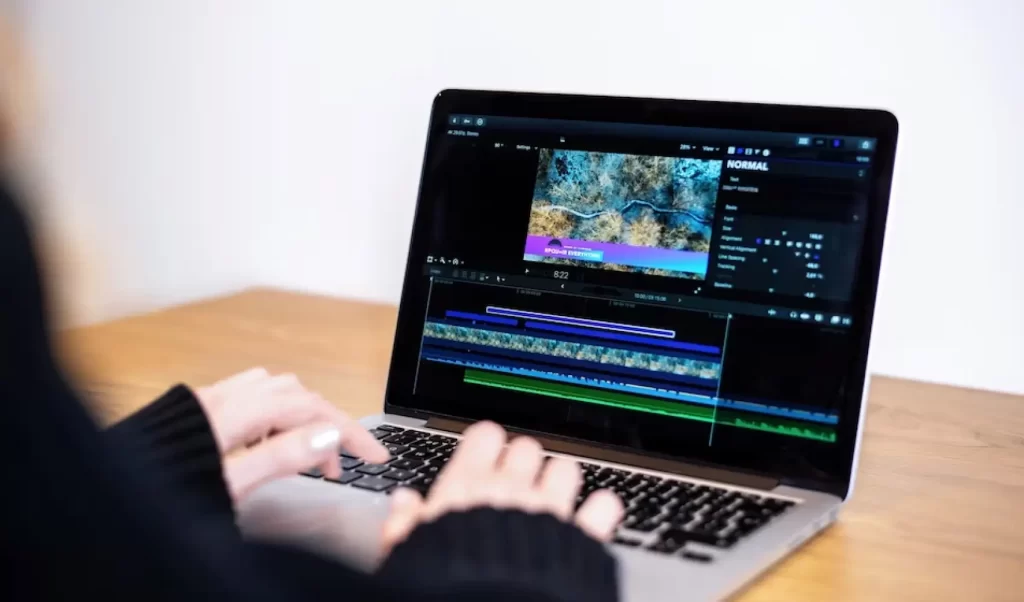
Choosing a Reliable Converter to Convert YouTube Videos: YouTube to MP3 Converter
The first step in converting a YouTube video to MP3 is selecting a reliable converter tool. There are primarily two options available: online converters and dedicated software. Each option has its advantages and drawbacks, so it’s important to choose the one that suits your needs.
Free YouTube MP3 Converter
Online Converters: Online converters are web-based tools that require no installation. They are user-friendly and accessible from any device with an internet connection. To use an online converter for your favorite YouTube Videos, follow these steps:
- Find the YouTube video you want to convert.
- Copy the video’s YouTube URL from your browser’s address bar.
- Visit a trusted online converter website.
- Paste the video URL into the converter’s input field.
- Select the desired output format, which, in this case, is MP3.
- Initiate the conversion process by clicking the appropriate button and convert any YouTube Video.

Software to Convert YouTube Videos to MP3. Best YouTube Converter and Downloader
Dedicated Software: Dedicated software for YouTube to MP3 conversion provides more control over the process. These programs are available for various operating systems and often offer additional features. Here’s how to convert a video using software:
- Download and install a reputable YouTube converter software from a trusted source.
- Open the software.
- Copy the YouTube video URL you want to convert.
- Within the software, there should be an option to paste the URL.
- Ensuring it’s recognized as an MP4 format video, proceed to select MP3 as the desired output format.
- Start the conversion process.
Quality and Bitrate Settings
Understanding audio quality and bitrate settings is crucial when converting YouTube videos to MP3. Bitrate refers to the amount of data processed per unit of time and directly impacts the audio quality. Higher bitrates generally result in better audio quality but produce larger file sizes.
To choose the right bitrate for your needs, consider factors such as your preferred audio quality and the storage capacity of your device. A higher bitrate, such as 320 kbps, is ideal for audiophiles who prioritize top-notch sound quality, while lower bitrates, like 128 kbps, are suitable for those who want to save storage space.
Download and Organize MP3 Files
Once you’ve successfully converted a YouTube video to MP3, it’s essential to keep your audio files organized. Creating dedicated folders on your device or computer for different genres, artists, or playlists can help you manage your music efficiently. Additionally, naming your MP3 files correctly with relevant information like the song title and artist will make them easier to locate in your library.
Troubleshooting Common Issues
While converting YouTube videos to MP3 is generally straightforward, you may encounter some common issues along the way. Here are a few troubleshooting tips:
- Slow Conversions: If your conversions are taking an unusually long time, it may be due to a slow internet connection. Ensure you have a stable and fast internet connection for smoother conversions.
- Incomplete Downloads: Sometimes, downloads may get interrupted, resulting in incomplete files. In such cases, simply retry the conversion process to obtain a complete MP3 file.
- Software Crashes: If the software you’re using crashes during the conversion process, make sure you are using the latest version of the software and that your computer meets the system requirements. Updating the software may resolve this issue.
Legal Alternatives to Consider
While converting YouTube videos to MP3 can be a convenient way to enjoy your favorite content, it’s essential to remember that it may not always be legally permissible, depending on copyright restrictions. As an alternative, consider legal methods to access music and audio content:
- Music Streaming Services: Subscription-based music streaming platforms like Spotify, Apple Music, and YouTube Music offer vast libraries of songs and audio content legally. They also provide offline listening options for convenience.
- Purchasing Music Online: Support artists and creators by purchasing music legally from online stores like iTunes, Amazon Music, or Google Play Music.
Conclusion
Converting YouTube videos to MP3 can be a valuable tool for music enthusiasts, podcast listeners, and anyone who wants to enjoy audio content offline. However, it’s essential to approach this process responsibly, respecting copyright regulations and legal considerations. By following the steps outlined in this guide, you can convert YouTube videos to MP3 efficiently and enjoy your favorite content wherever and whenever you like.
FAQs
- What is the best online YouTube to MP3 converter?
The choice of the best online converter can vary depending on your preferences and needs. Some popular options include YTMP3, 320ytmp3, and OnlineVideoConverter.
- Can I convert copyrighted videos to MP3?
Converting copyrighted videos to MP3 may infringe on copyright laws unless you have proper authorization from the copyright holder or the content falls under fair use.
- Is it illegal to download YouTube videos as MP3?
Downloading YouTube videos as MP3 can be illegal if done without proper authorization or if it violates copyright regulations. It’s essential to be aware of the legal implications and seek legal alternatives when necessary.
- How can I improve the audio quality of my MP3 files?
To enhance audio quality, choose a higher bitrate when converting to MP3. However, keep in mind that higher bitrates result in larger file sizes. Experiment with different bitrates to find the balance between quality and file size that suits your preferences.
- Are there any free software options for YouTube to MP3 conversion?
Yes, there are several free YouTube to MP3 converter software options available. Some popular ones include 4K Video Downloader, Any Video Converter, and Free YouTube to MP3 Converter by DVDVideoSoft.